Automatic Library Addition
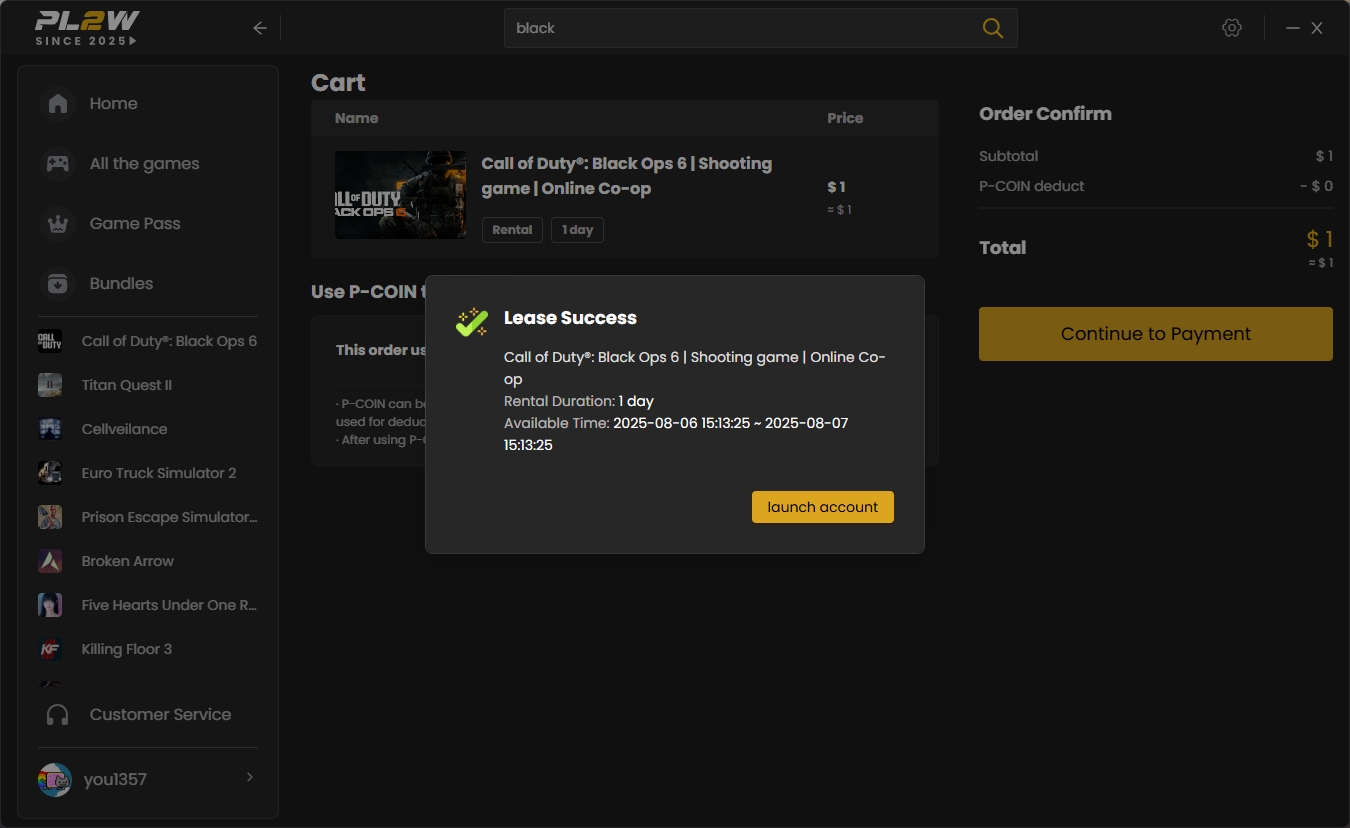
After successful payment, the game will be automatically added to your client game library—no manual operation required.
Locate Your Game
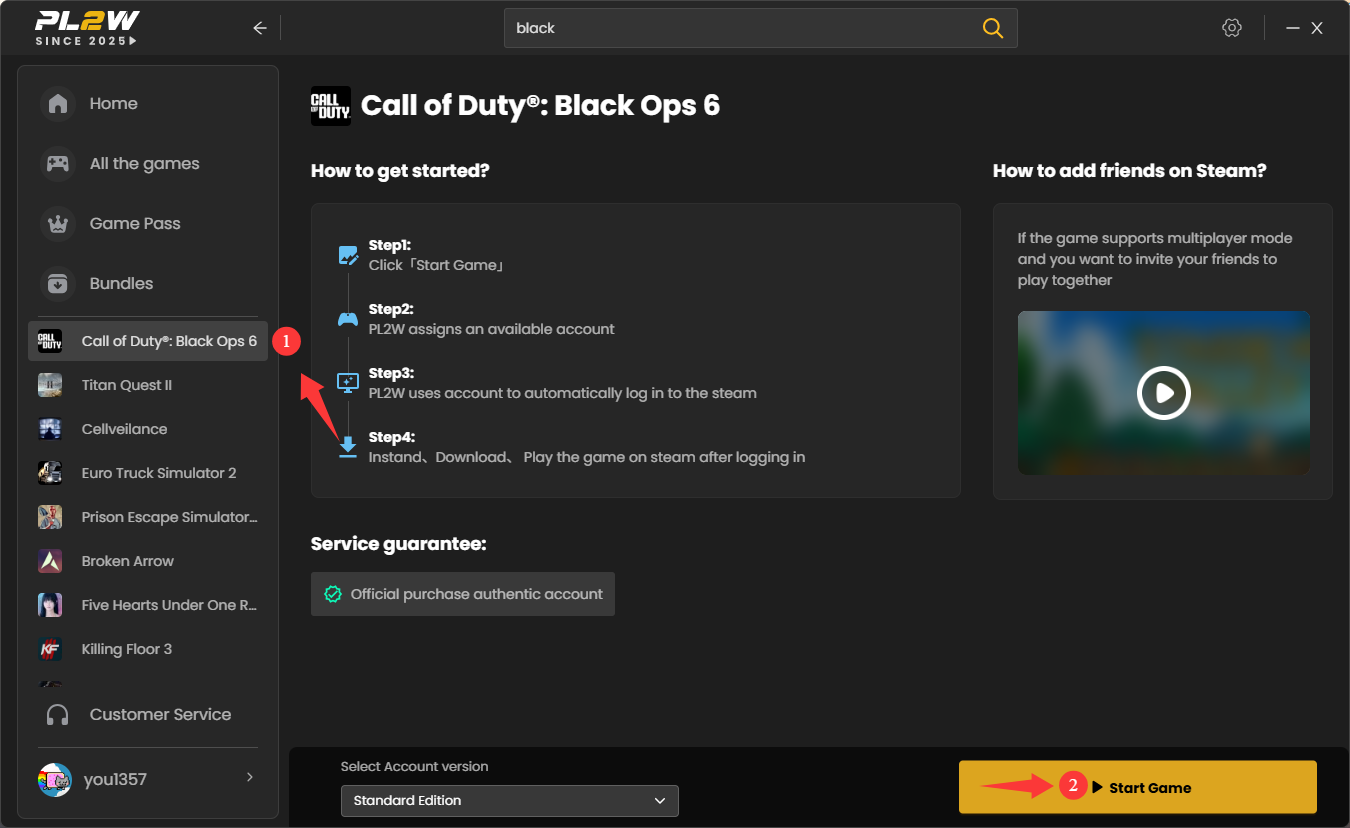
Find the rental game in the left-side list of the client(If you haven't downloaded PL2W.exe yet, please download and log in first.), then click the 「Start Game」 button in the bottom right corner of the game details page.
Automatic Game Launch
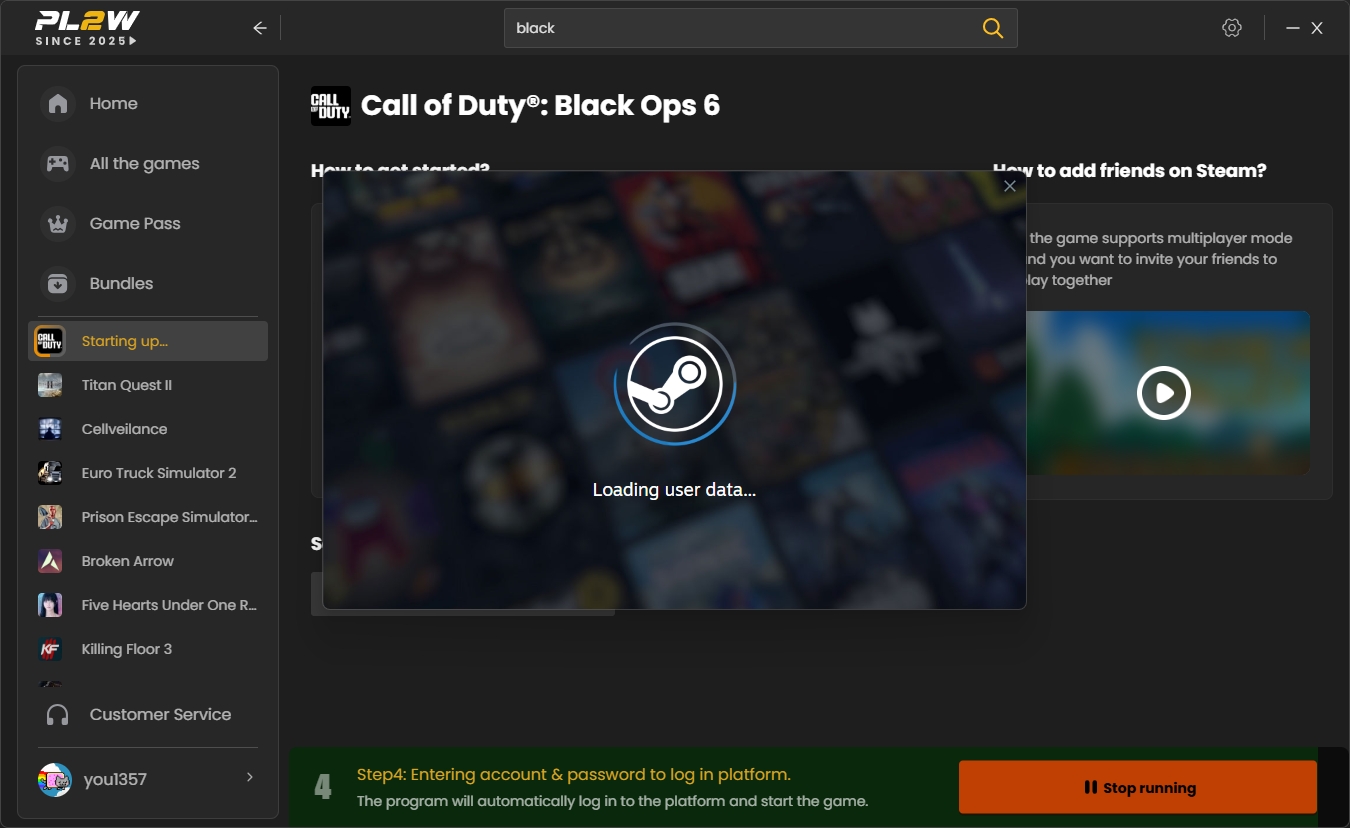
PL2W will automatically launch the Steam/Uplay/Epic/EA platform and complete the account login process. Real-time progress prompts will be displayed during the launch.
Important Notes
⚠️ During the rental period, please maintain a civilized gaming attitude and refrain from any in-game behavior, including harassment, spamming, or intentional AFK activity.
⚠️ When using a rented account, the use of any third-party cheating tools or software is prohibited.
⚠️ If you encounter login issues or your rental information doesn't match, please feel free to contact our 24/7 online customer service for assistance.