PL2W Game Launch Guide
Automatic Library Addition
After successful purchase, the game will be automatically added to your client game library—no manual operation required.
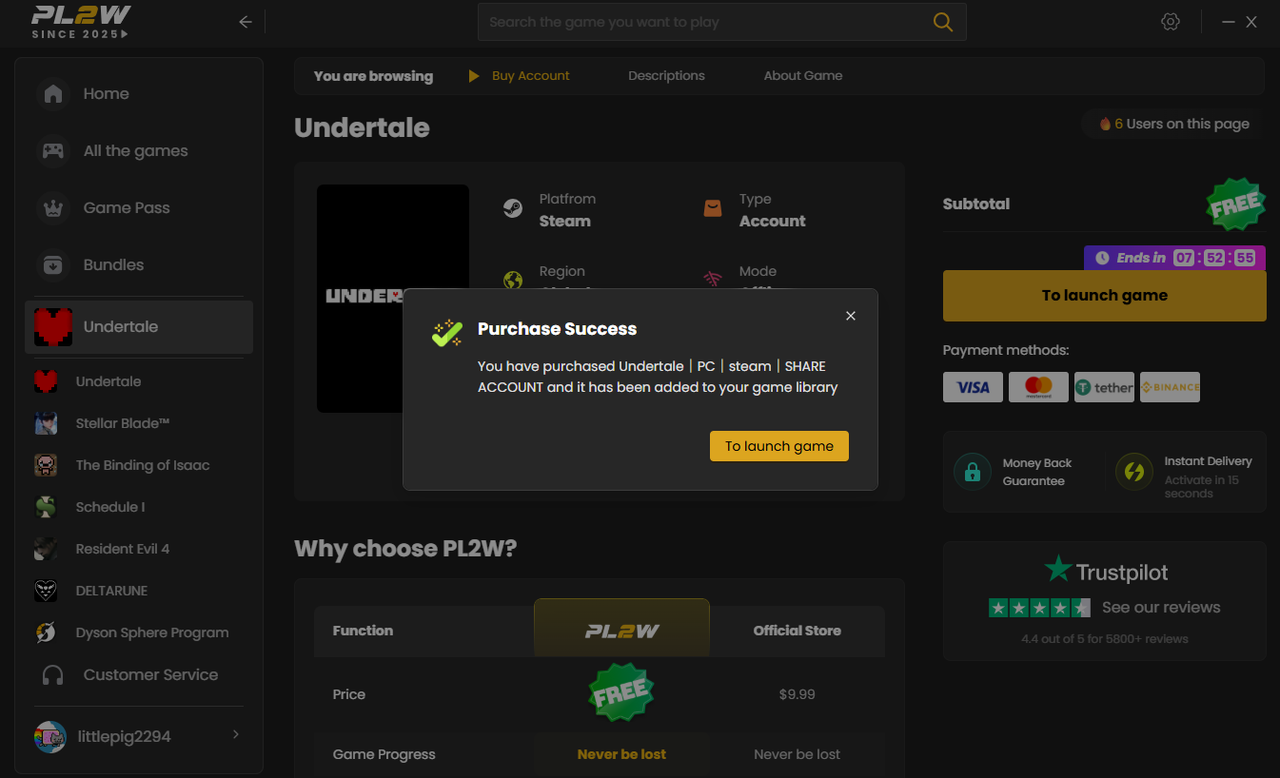
Locate Your Game
Find the purchased game in the left-side list of the client, then click the 「Start Game」 button in the bottom right corner of the game details page.
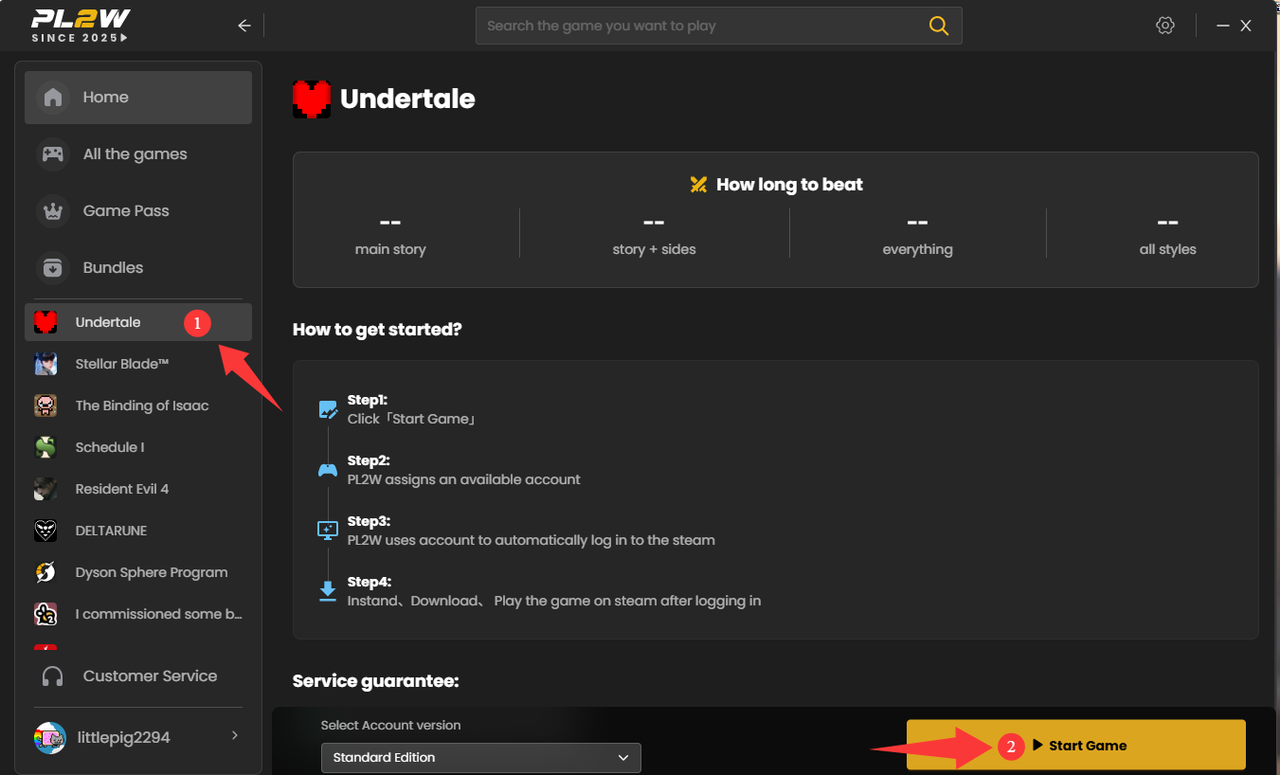
Automatic Game Launch
PL2W will automatically launch the Steam/Uplay/Epic/EA platform and complete the account login process. Real-time progress prompts will be displayed during the launch.
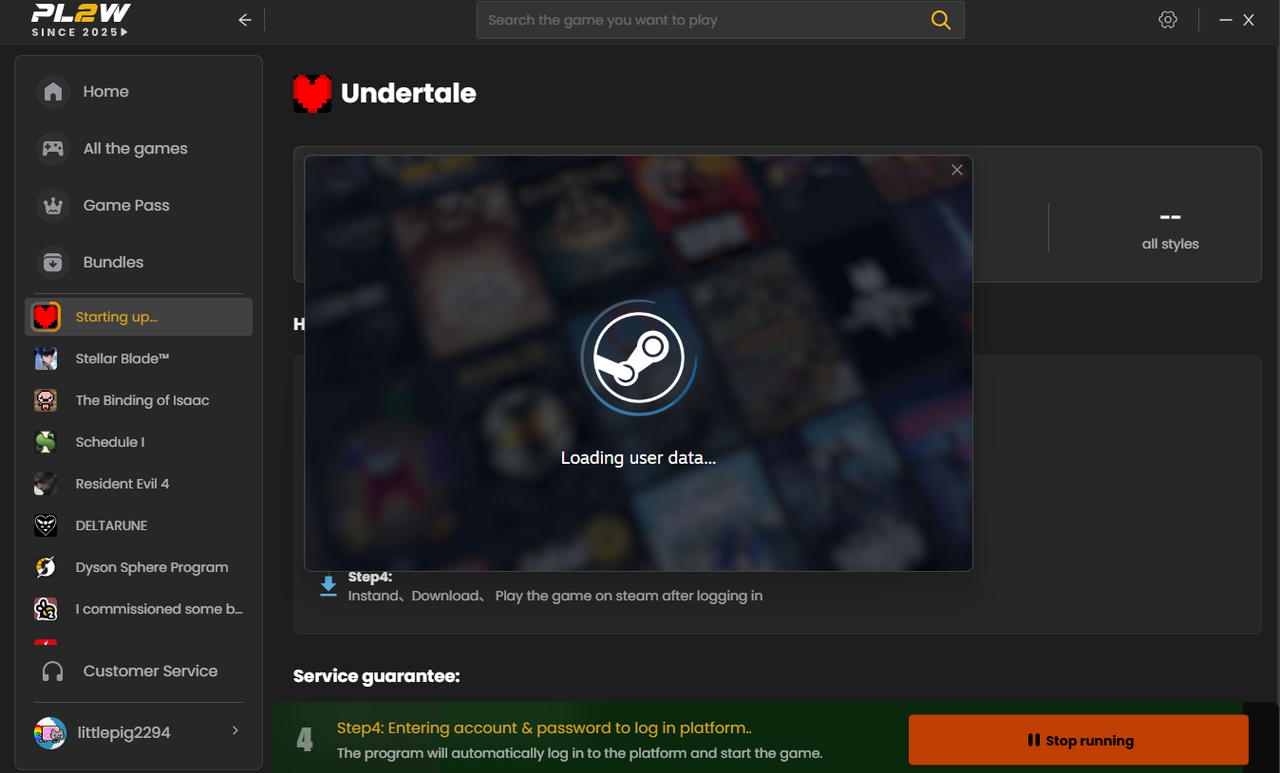
⚠️ If you encounter login failures, please contact our 24/7 online customer service for assistance at any time.
Did this answer your question?
😞
😐
😃